Prompt Engineering Guide: Function Calling
Function calling—often called tool calling—is a transformative feature in modern AI language models that lets developers extend AI assistants by connecting them to external functions and APIs. It enables models to trigger specific actions, access up-to-date data, and interact with services beyond their built-in language understanding.
In this guide, we'll focus on the function calling mechanism itself, demonstrating how to create an AI assistant that filters emails based on user-defined criteria and manages them by invoking external functions with the filtered email IDs.
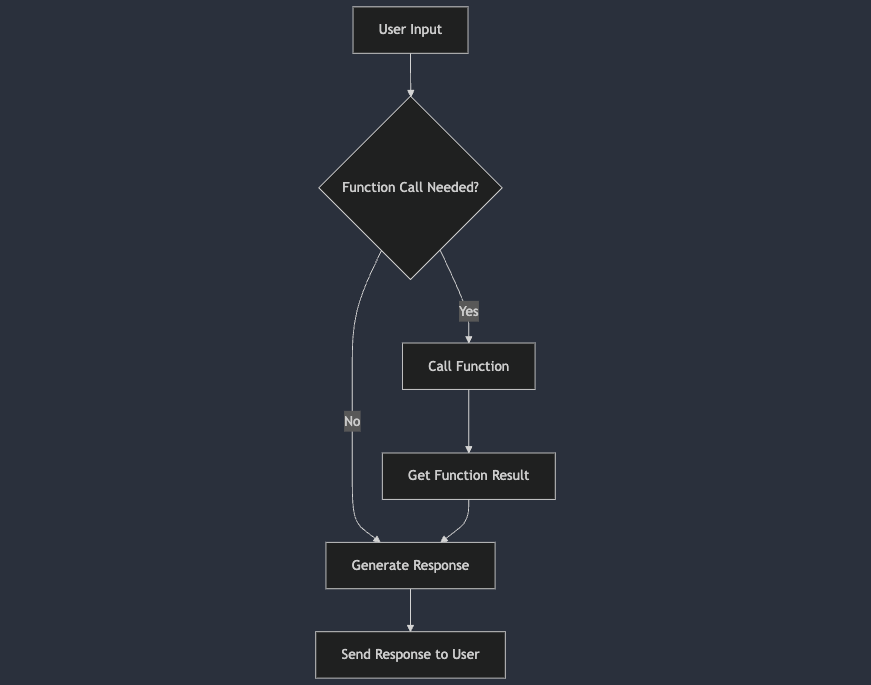
Understanding Function Calling in AI Assistants
Function calling refers to the ability of an AI language model to recognize when a user's request requires external data or actions and to invoke appropriate functions or APIs to fulfill that request. This mechanism bridges the gap between natural language understanding and executable actions, enabling AI assistants to perform tasks such as data retrieval, command execution, or information manipulation based on user input.
Why use function calling ?
- Extended Functionality: Enhances the LLM's capabilities beyond text-based interactions.
- Dynamic Responses: Provides up-to-date information by accessing external data sources.
- Task Automation: Automates complex tasks requiring computational logic or data processing.
Implementing Function Calling for Email Management
In this tutorial, we'll focus on how function calling can be used to filter emails based on user-defined criteria and then manage those emails by passing their IDs to external functions. We'll define functions that allow the AI model to perform actions such as deleting or archiving emails.
Prerequisites
- Python 3.x installed on your system.
- An OpenAI API key for accessing GPT-4 or a similar language model that supports function calling.
- Basic knowledge of Python programming and familiarity with APIs.
Step 1: Setting Up the Environment
First, ensure you have the OpenAI Python library installed:
pip install openai
Import the necessary libraries in your Python script:
import openai
import json
Step 2: Preparing Email examples
We'll use a sample email dataset without predefined categories. In a real-world scenario, you would integrate with an email service provider's API.
emails = [
    {
        "id": 1,
        "sender": "news@newsletter.com",
        "subject": "Daily News Update",
        "body": "Here are today's top stories..."
    },
    {
        "id": 2,
        "sender": "alice@example.com",
        "subject": "Project Meeting",
        "body": "Can we schedule a meeting for the project?"
    },
    {
        "id": 3,
        "sender": "promo@shopnow.com",
        "subject": "Exclusive Sale Just for You",
        "body": "Don't miss out on our limited-time offers!"
    }
]
Step 3: Defining the Core Functions
Create functions that will manage emails based on specified actions and filtered email IDs. We'll define functions like delete_email and archive_email.
the following are mockup functions that you can expand on for real case scenarios using API's from email services such as google's gmail or similar
def delete_email(email_ids):
    # For simplicity's sake, we'll just print out the email IDs
    # In a real scenario this should use an email service
    print(f"Deleted emails with IDs: {email_ids}")
    return {"status": "success", "action": "delete", "email_ids": email_ids}

def archive_email(email_ids):
    # Same as the above function
    print(f"Archived emails with IDs: {email_ids}")
    return {"status": "success", "action": "archive", "email_ids": email_ids}