How to Build From AI Agent Examples
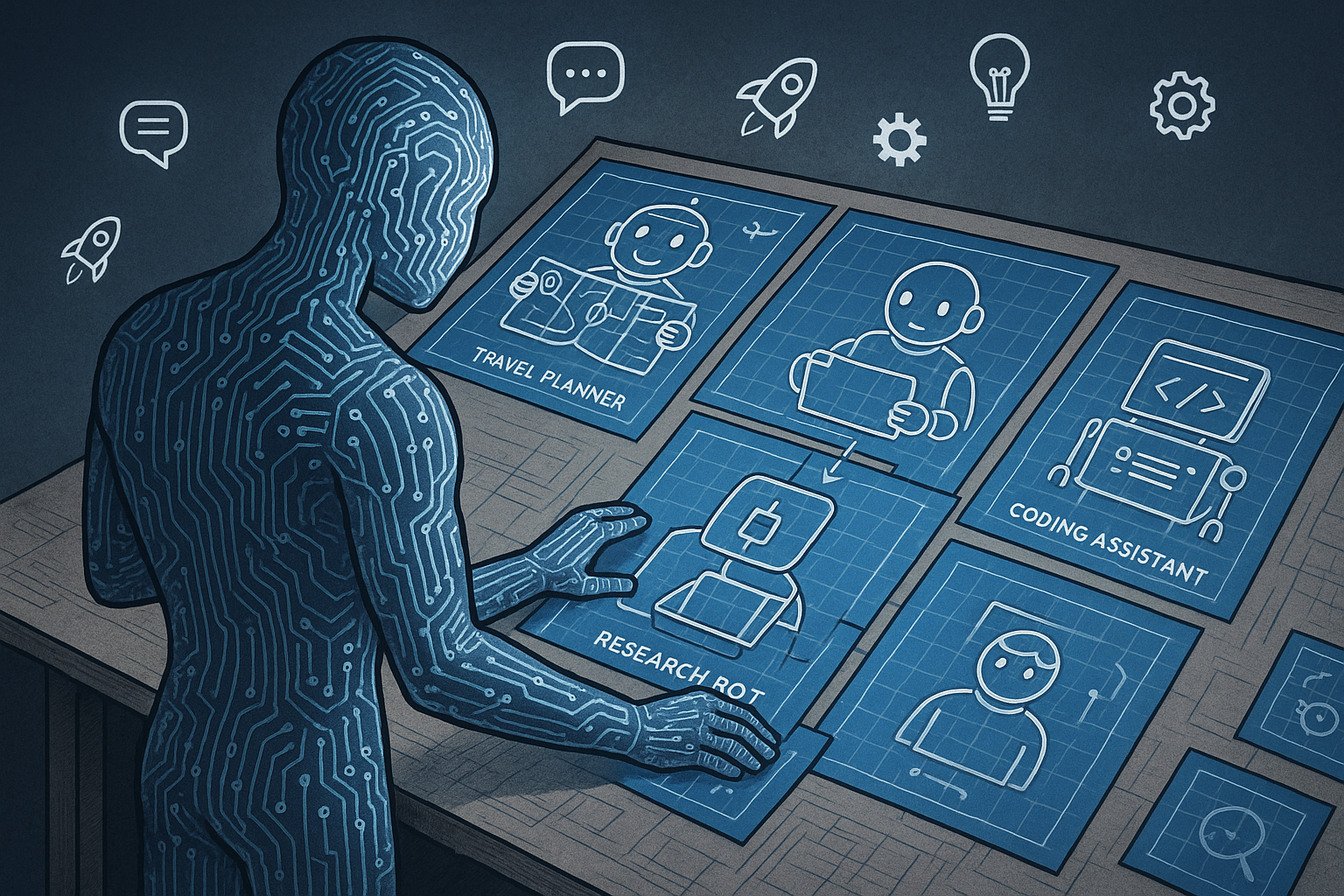
Most searches for “AI agents examples” return a list of demos: a travel planner, a research bot, a coding assistant, a customer support agent. Those examples can be useful, but they rarely tell you how to turn the pattern into a reliable production workflow.
For an AI engineering team, the useful question is not “Can an agent do this once?” It is “What decision loop, tools, state, evals, and traces would make this safe enough to ship?”
Use the steps below to take an AI agent example and convert it into an implementation plan your team can build, test, and iterate on.
1. Start with the workflow, not the demo
Pick one real business workflow before choosing an agent pattern. A vague example like “research agent” is too broad. A concrete workflow gives you clear inputs, outputs, tools, failure cases, and success criteria.
Good starting points look like this:
- Support triage agent: Reads an incoming ticket, classifies the issue, checks account data, suggests a response, and routes the ticket.
- Internal data analyst agent: Converts a business question into SQL, runs a read-only query, explains the result, and cites the query used.
- Code review agent: Reads a pull request diff, checks it against project rules, flags risky changes, and suggests fixes.
- Sales ops agent: Reviews a CRM record, drafts a follow-up email, updates fields, and creates a task for the account owner.
- Incident assistant: Reads alerts, fetches runbook steps, checks service status, and drafts an incident summary.
Write the workflow in one sentence:
“Given [input], the agent should [actions] using [tools], then produce [output] with [constraints].”
Example:
“Given a new support ticket, the agent should classify the issue, retrieve account context, check known incidents, draft a response, and route the ticket without sending anything directly to the customer.”
This sentence becomes the boundary of the agent. Anything outside it should be excluded until the workflow works under test.
2. Identify the agent pattern behind the example
Most AI agent examples are variations of a few patterns. Naming the pattern helps you design the control flow instead of copying a surface-level demo.
Tool-using agent
The model decides when to call tools and how to use the results. This fits support lookup, CRM updates, code search, documentation retrieval, and database querying.
Use this when: The task requires external data or actions, but the workflow can stay within one agent loop.
Planner-executor agent
One step creates a plan. Later steps execute the plan, verify progress, and adjust. This fits research, migration planning, long-running data collection, and multi-step troubleshooting.
Use this when: The task needs sequencing, but you can still define a clear stopping point.
Reviewer agent
One model output gets checked by another pass, a separate prompt, or a deterministic validator. This fits code review, policy checks, contract review, and customer-facing response review.
Use this when: Bad output has a high cost, or the output must follow strict rules.
Router agent
The model chooses which workflow, prompt, tool, or specialist to use next. This fits support categories, document processing, lead routing, and internal assistants.
Use this when: The main challenge is selecting the right path, not completing a long task.
Multi-agent workflow
Several specialized agents work on parts of the task. For example, a research agent gathers sources, a synthesis agent writes a summary, and a reviewer checks citations. If you use this pattern, define handoff rules early. PromptLayer’s glossary entry on multi-agent systems is a useful reference for this design.
Use this when: Separate roles improve quality or make the system easier to test. Do not start here if a single agent with tools can solve the task.
3. Break the example into goal, context, tools, state, and exit criteria
Before you write prompts, convert the agent example into an engineering spec. Use five fields.
Goal
Define the exact outcome. Avoid goals like “help the user.” Use measurable targets.
- Bad: “Help with support tickets.”
- Better: “Classify the ticket into one of 12 categories, draft a reply under 180 words, and assign a routing queue.”
Context
List what the model can see at runtime.
- User message or ticket body
- Account metadata
- Conversation history
- Retrieved documentation
- Tool outputs
- Policy rules
Be strict here. More context can reduce performance if it adds noise. If your support agent only needs plan type, region, product version, and recent incidents, do not pass the entire customer record.
Tools
Define each tool like an API contract. Include inputs, outputs, permissions, and failure modes.
- get_customer_account(customer_id): Returns plan, status, region, and recent billing state.
- search_docs(query): Returns up to 5 documentation snippets with URLs.
- check_incidents(region, product): Returns active incidents and timestamps.
- create_ticket_note(ticket_id, note): Writes an internal note only.
Separate read tools from write tools. In early versions, keep write tools disabled or require approval before execution.
State
Decide what the agent needs to remember during the run.
- Current task
- Tool calls already made
- Known facts
- Open questions
- Draft output
- Confidence or risk level
State does not need to be complex. A small JSON object often works better than an unstructured scratchpad.
Exit criteria
Define when the agent must stop.
- Stop after 5 tool calls.
- Stop when required fields are filled.
- Stop if the confidence score is below a threshold and escalate.
- Stop if a tool fails twice.
- Stop if the request asks for an unsupported action.
Exit criteria protect you from runaway loops and vague outputs.
4. Convert the example into a narrow first version
Most agent examples are too broad for a first production build. Cut scope until you can test the core loop with real cases.
For a support triage agent, version 1 might do only this:
- Read the ticket.
- Classify it into a fixed category list.
- Retrieve up to 3 relevant docs.
- Draft an internal response suggestion.
- Return a confidence score and escalation reason if needed.
Do not let version 1 send customer replies, issue refunds, close tickets, or update account status. Add those actions only after you have eval results and traces showing the agent behaves well.
A narrow agent is easier to evaluate. If the first version does 5 things, you can measure each one. If it does 25 things, every failure becomes harder to debug.
5. Write prompts as versioned application artifacts
An agent prompt should read like a contract between your application and the model. It should define role, task, available tools, decision rules, output format, and refusal conditions.
For example:
You are a support triage agent for a B2B SaaS product.

Task:
Classify the incoming ticket, gather only the context needed, and draft an internal response suggestion for a support rep.

Rules:
- Do not write directly to the customer.
- Use account data only if it is needed for classification or response drafting.
- Use documentation search before making product claims.
- If the ticket involves billing, security, legal, or data deletion, mark it for escalation.
- If you are missing required information, ask for the smallest next piece of information.

Allowed categories:
- Login issue
- Billing question
- Bug report
- Feature request
- Account access
- Data export
- Security concern
- Integration issue
- Performance issue
- Other

Output JSON:
{
  "category": string,
  "confidence": number,
  "docs_used": [{"title": string, "url": string}],
  "draft_internal_response": string,
  "escalate": boolean,
  "escalation_reason": string | null
}
Keep prompts under version control. Track which prompt version produced each result. When a regression appears, you need to know whether the cause was a prompt change, model change, tool change, retrieval change, or input distribution shift.
6. Design tool calls around permissions and reversibility
Many agent demos skip the hard part: permissions. Production agents need clear rules for what the model can do without approval.
Group tools into three levels:
- Read-only tools: Search docs, fetch account metadata, list recent incidents, read code files.
- Drafting tools: Create a suggested reply, prepare a CRM update, generate a pull request comment, write an internal note.
- Action tools: Send email, close ticket, update CRM, merge code, refund payment, delete data.
Start with read-only and drafting tools. Add action tools after you have strong eval coverage, audit logs, and approval paths for risky actions.
For each action tool, ask:
- Can this action be undone?
- Who should approve it?
- What log should be written?
- What input validation should happen before the call?
- What should happen if the tool returns an error?
A refund tool and a documentation search tool should never share the same risk model.
7. Add orchestration before adding more agents
Agent reliability often depends more on orchestration than model choice. You need code that controls the loop, limits tool calls, validates outputs, retries safe failures, and records traces.
A basic orchestration loop may look like this:
- Load prompt version, input, available tools, and policy constraints.
- Call the model.
- If the model requests a tool, validate the request.
- Run the tool if allowed.
- Append the tool result to state.
- Repeat until exit criteria are met.
- Validate final output against schema.
- Log the full trace for review and evals.
If you are coordinating multiple agents, define the controller first. Do not let agents pass vague messages to each other. Use typed handoffs with required fields, ownership, and stop conditions. PromptLayer’s glossary on AI agent orchestration covers the core concepts behind this control layer.
For agent-to-agent handoffs, keep the payload explicit. A research agent should not send “Here is what I found” as free text if the next step needs citations, source quality, and open questions. Use structured output. The same applies to agent-to-agent communication in larger workflows.
8. Build evals from real examples, not imagined happy paths
Every agent example should become an eval set. If you are building from a support triage example, collect 50 to 200 real or realistic tickets before you trust the workflow.
Start with these eval categories:
- Task success: Did the agent complete the intended workflow?
- Classification accuracy: Did it choose the right category, route, or next step?
- Tool use quality: Did it call the right tools, with valid arguments, at the right time?
- Grounding: Did it base claims on retrieved docs or tool outputs?
- Policy compliance: Did it avoid restricted actions?
- Output format: Did it return valid JSON or the required schema?
- Escalation behavior: Did it escalate when confidence was low or risk was high?
Include failure-heavy cases:
- Ambiguous user requests
- Missing account IDs
- Conflicting documentation
- Tool timeouts
- Prompt injection attempts
- Requests for restricted actions
- Very long tickets with irrelevant history
Use a mix of deterministic checks and model-graded evals. For example, JSON validity and tool argument validation can be deterministic. Response helpfulness or escalation quality may need rubric-based grading.
9. Trace every run so failures are debuggable
An agent run is a sequence of decisions. If you only log the final output, you lose the information needed to fix the system.
Trace at least these fields:
- Prompt version
- Model and parameters
- User input
- Retrieved context
- Tool calls and arguments
- Tool responses
- Intermediate model decisions
- Final output
- Latency and token usage
- Validation errors
- Reviewer decisions, if a person approves the output
Good traces turn “the agent gave a bad answer” into a specific bug report. Maybe retrieval returned the wrong document. Maybe the tool schema allowed an invalid region. Maybe the prompt did not define what to do when confidence was low. Maybe the model ignored a policy rule after a long context window.
Without traces, teams tend to patch prompts blindly. With traces, you can fix the right layer.
10. Decide when to use multi-agent or swarm patterns
Many teams reach for multi-agent designs too early. A single well-instrumented agent with tools is often easier to ship and maintain.
Use multiple agents when at least one of these is true:
- Different steps need very different prompts, tools, or permissions.
- You need independent review before an action.
- The workflow has clear specialist roles, such as researcher, planner, executor, and reviewer.
- You can evaluate each agent separately.
- You have orchestration code that controls handoffs and stop conditions.
A swarm pattern can fit tasks where many agents explore separate options, such as broad research or large-scale test generation. It also adds coordination cost. If you are considering that route, read the glossary entry on agent swarm and define how you will merge, rank, and verify outputs before you build.
Do not use multiple agents to compensate for unclear requirements. Split the workflow only when the split makes evaluation, permissions, or reliability better.
11. Ship in stages with clear promotion rules
Move the agent through staged release gates. Each stage should have data that supports the next one.
- Offline prototype: Run against a fixed dataset. No live tools except mocks.
- Read-only shadow mode: Run on live inputs without affecting users or internal systems.
- Draft mode: Produce suggestions for a person to review.
- Limited action mode: Allow low-risk actions with approval or strict rules.
- Expanded production mode: Add more actions, categories, or users after evals stay stable.
Define promotion metrics before launch. For example:
- 95% valid JSON output across the eval set
- 90% correct category classification on labeled tickets
- 0 critical policy violations in 500 shadow runs
- Under 8 seconds p95 latency for draft generation
- Under $0.05 average model cost per ticket
Your numbers will vary by workflow. The important part is that the team agrees on the bar before debating whether the agent is “good enough.”
12. Keep an iteration loop tied to prompts, datasets, and evals
Agents change over time. Your docs change, users change, models change, and tool behavior changes. Treat iteration as part of the system design.
A practical loop looks like this:
- Review traces for failed or low-confidence runs.
- Add representative failures to the dataset.
- Update the prompt, tool schema, retrieval logic, or orchestration code.
- Run evals against the old and new versions.
- Compare quality, cost, latency, and policy compliance.
- Promote the new version only if it improves the target metrics without causing regressions.
This is how an agent example becomes a production system. You are not copying a demo. You are building a controlled workflow with versioned prompts, typed tools, reliable evals, and traces that show what happened.
A quick checklist for building from AI agent examples
- Can you describe the workflow in one sentence?
- Did you identify the agent pattern?
- Are tools separated by permission level?
- Does the agent have clear exit criteria?
- Is the first version narrow enough to evaluate?
- Are prompts versioned?
- Do you trace tool calls, context, and outputs?
- Do you have at least 50 realistic eval cases?
- Can you test failures, not only happy paths?
- Do you have promotion rules for production rollout?
If the answer is yes, the example is ready to become an implementation plan. If not, tighten the workflow before adding more tools, agents, or autonomy.
PromptLayer helps AI teams manage prompts, trace agent runs, build datasets, and run evaluations for production LLM workflows. If you are turning AI agent examples into reliable systems, create a PromptLayer account at https://dashboard.promptlayer.com/create-account.