How do you observe LLM systems in production?

How do you observe LLM systems in production?
Large language models are powering everything from customer support bots to code assistants, but deploying them is only half the battle. Once live, these systems can fail in ways traditional monitoring never anticipated - producing confident-sounding nonsense, quietly draining budgets, or slowing to a crawl during peak hours. As someone writing from the PromptLayer team, I've seen firsthand how critical visibility becomes when AI meets real users. The shift from conventional application monitoring to LLM-specific observability isn't optional anymore. It's the difference between flying blind and actually understanding what your AI is doing.
Why traditional monitoring falls short
Standard monitoring tells you if your server is up, your CPU is humming, and your API is returning 200s. But LLMs can technically "succeed" while completely failing their purpose. Your dashboard might show green lights everywhere while your chatbot hallucinates false information or racks up thousands in unnecessary API costs.
LLM observability goes deeper. It connects model inputs, outputs, and internal behaviors to explain why a system succeeds or fails. This means tracking not just whether requests complete, but whether responses are accurate, appropriate, and worth the cost. Without this visibility, you're left guessing when users complain or when your monthly bill arrives with surprises.
Tracing every step of the pipeline
The foundation of LLM observability is capturing detailed traces of each request as it flows through your system. A typical LLM application involves multiple stages - retrieving context from a vector database, constructing a prompt, calling the model, maybe invoking tools, then formatting the output. When something goes wrong, you need to know exactly where.
Good tracing reveals insights like:
- Slow database lookup causing latency, not the model itself
- Malformed prompt template producing nonsensical outputs
- Retrieval step returning irrelevant documents that poison the context
- Particular user query pattern that consistently triggers errors
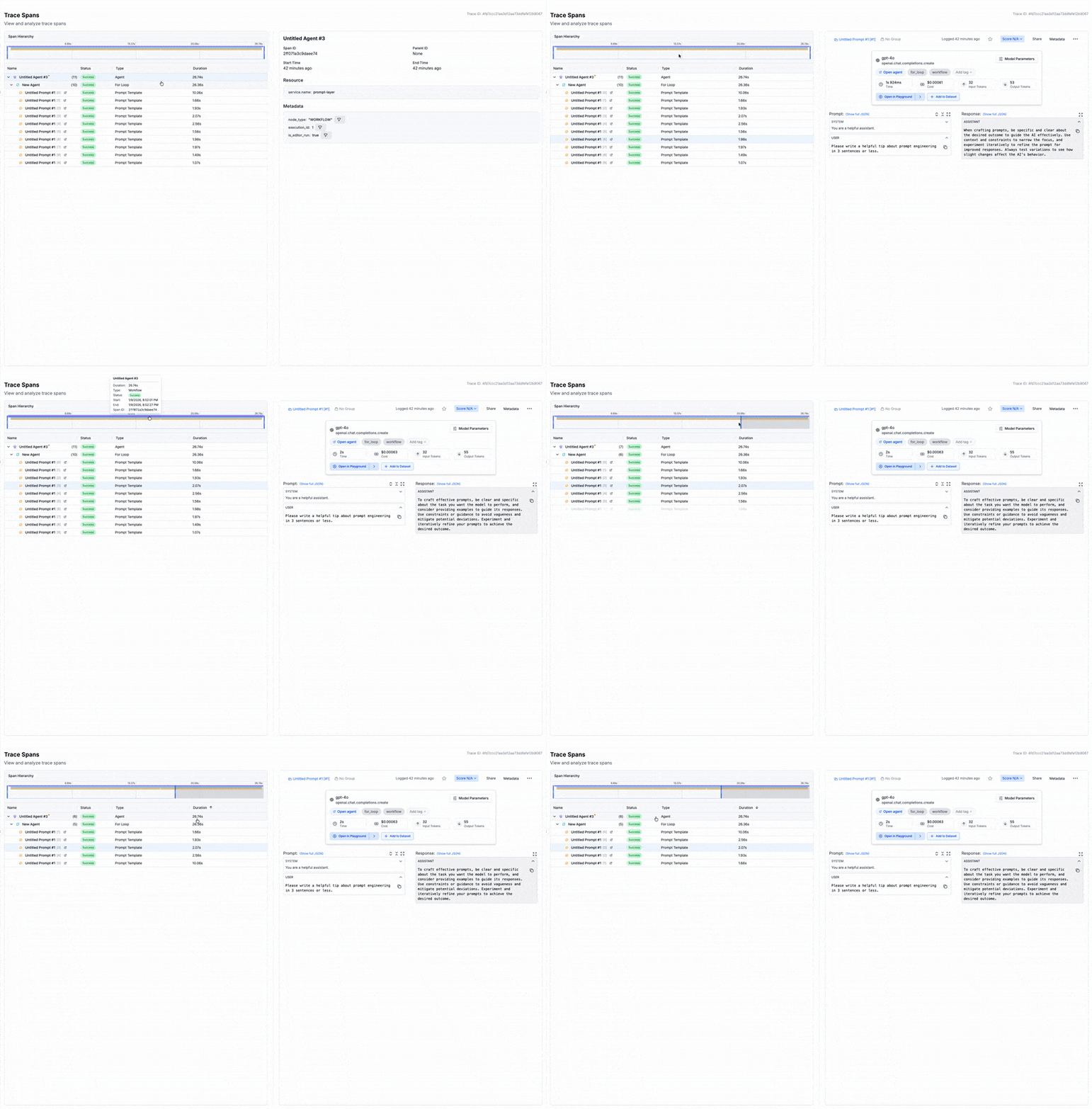
Many observability platforms now leverage OpenTelemetry standards for consistent instrumentation across frameworks. This lets you visualize nested spans showing exactly how time and tokens are spent at each stage. Without this granularity, debugging becomes guesswork.
Performance metrics that actually matter
Response time shapes user experience. For LLM applications, you'll want to track latency at multiple percentiles - p50 gives you the typical case, but p95 and p99 reveal the tail-end delays that frustrate users. Throughput matters too, especially as you scale.
Key metrics to monitor include:
- Latency by model and endpoint to catch which routes are bottlenecks
- Error rates broken down by type, including model refusals and timeout failures
- Token counts per request to understand processing demands
- Queue depth and retry rates during high-traffic periods
The goal is linking these metrics to specific routes and models so you can protect user experience while managing efficiency. A latency spike might indicate model overload, a misconfigured retry policy, or a suddenly expensive prompt that needs optimization.
Keeping costs under control
LLM API costs can escalate shockingly fast. Larger, more powerful models can be significantly more expensive per call than smaller, faster alternatives. Without cost observability, a small percentage of requests might drive most of your bill without anyone noticing.
Effective cost monitoring means tracking token usage and cost per request in real time, then aggregating by feature, user, or endpoint. This reveals which parts of your application are most expensive and where optimization efforts should focus. Maybe certain prompts are unnecessarily verbose, or perhaps some queries could route to a cheaper model without quality loss.
Set up budget alerts that trigger when daily or weekly spending exceeds thresholds. This early warning system prevents month-end surprises and lets you make proactive decisions about model selection and prompt design.
Catching bad outputs before users do
Perhaps the most distinctive challenge with LLMs is that they can fail while appearing to succeed. A response might be grammatically perfect, confidently delivered, and completely wrong. Traditional error monitoring won't catch this.
Output quality monitoring addresses several concerns:
- Hallucination detection through groundedness checks against source data
- Safety monitoring via content moderation and policy compliance
- Relevance scoring to ensure responses actually address user queries
- Anomaly detection for unusual response patterns or lengths
Some platforms offer pre-configured evaluations for common issues like factual accuracy, code correctness, and harmful content. Others let you define custom checks based on your domain. The key is treating output quality as a measurable metric, not something you only discover through user complaints.
User feedback as a signal
Automated metrics capture a lot, but they can't fully replace human judgment. Integrating user feedback - thumbs up/down ratings, explicit corrections, follow-up questions - provides ground truth about whether your LLM is actually helping.
Track feedback signals tied to specific model outputs so you can identify problem patterns. If users consistently mark certain types of responses as unhelpful, that's a signal to investigate those prompts or knowledge sources. This feedback loop turns observability from passive monitoring into active improvement.
Tools that make observability practical
You don't need to build all this from scratch. Tools like PromptLayer trace every request end-to-end, surface token usage and cost patterns, and unify observability with prompt versioning so you can tie performance back to specific changes. Teams typically see 20-40% cost reductions within the first month just by identifying inefficient patterns.
Other options exist - Langfuse for open-source self-hosting, Helicone for A/B testing, Arize Phoenix for RAG-specific analysis - but for most production teams, an integrated platform that handles tracing, cost analytics, and prompt management in one place offers the fastest path to visibility.
Making observability work in practice
Implementation matters as much as tool selection. Start by instrumenting early - building observability into your system from day one is far easier than retrofitting after incidents occur.
Define clear KPIs aligned with business goals. What does success look like? Maybe it's answer accuracy above 95%, p95 latency under two seconds, or cost per query below a target threshold. These metrics justify observability investment and focus attention on what matters.
Automate alerts on critical thresholds so your team gets notified before users complain. But balance coverage against noise - too many alerts leads to ignored dashboards.
Finally, handle data carefully. Prompts and responses may contain sensitive information, so implement appropriate anonymization, access controls, and retention policies to stay compliant with privacy requirements.
Ship LLMs you can actually trust
Observability is what turns an LLM feature from "it seems fine" into "we can prove it's working." When you can trace the full pipeline, watch tail latency, and tie token spend to real product surfaces, issues stop being mysteries and start being tickets.
Pick one high-traffic endpoint, instrument it end to end, and set a few non-negotiable alerts - cost per request, p95 latency, and a simple quality check. Then let the traces and feedback tell you what to fix next, before your users (or your bill) do.